MEATER Pro Duo vs Combustion Predictive Thermometer: Which Is Better for Thanksgiving?
Choose the MEATER Pro Duo for two Thanksgiving probes, or the Combustion Predictive Thermometer with WiFi Display for a phone-free 8-sensor countdown.
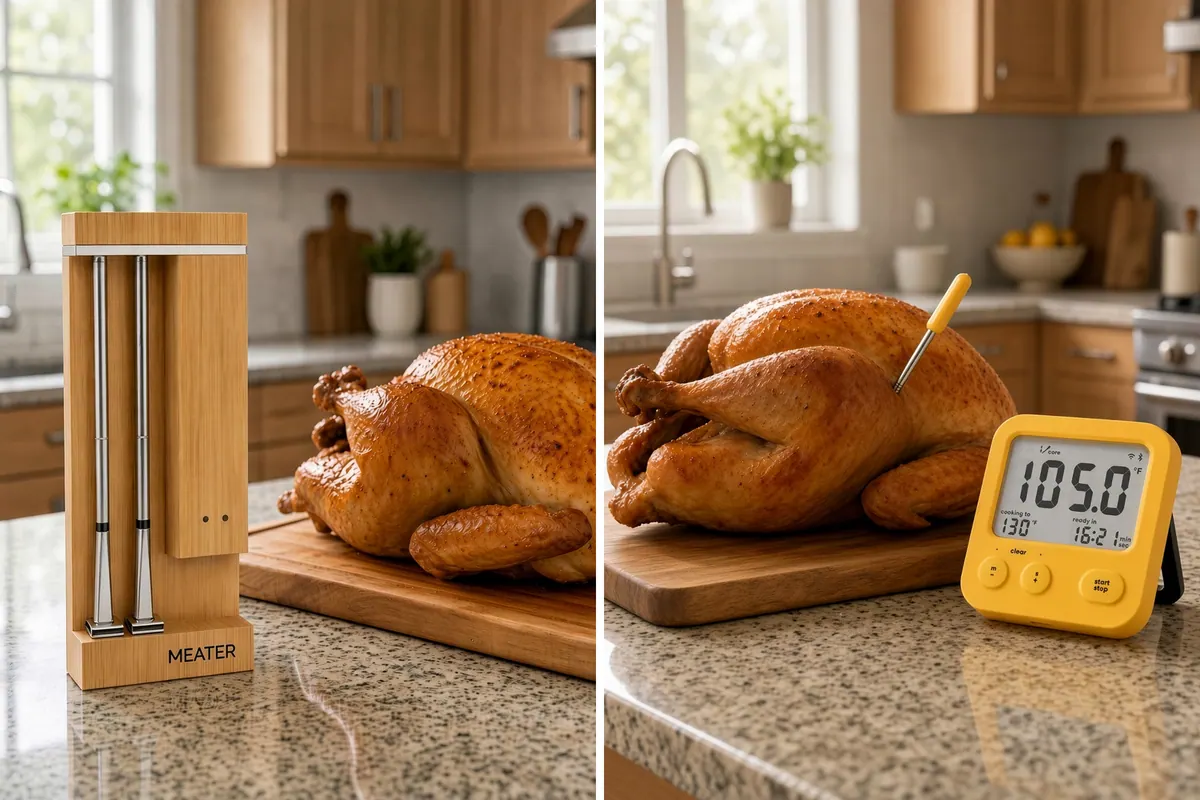
For a Thanksgiving turkey, the MEATER Pro Duo (OSC-MT-MD201) is the better pick if you want two leave-in probes so you can follow MEATER’s own turkey guide: one in the thickest part of the breast and a second in the thigh. The Combustion Predictive Thermometer with WiFi Display is the better pick if you want a phone-free countdown, an 8-sensor single probe, and Combustion’s Prediction Engine and SafeCook tools.
This comparison is research-based, drawn from manufacturer pages, support guides, lab tests, and published expert reviews. It is not a hands-on test. USDA’s turkey roasting guide still says a whole turkey is safe at a minimum internal temperature of 165°F (74°C), measured in the innermost part of the thigh, the innermost part of the wing, and the thickest part of the breast.
Who should buy which?
Choose the MEATER Pro Duo if you are roasting a turkey at home on a 2.4 GHz Wi-Fi network and want two probes for the breast and thigh.
Choose the Combustion Predictive Thermometer with WiFi Display if you want a phone-free countdown, an 8-sensor probe, and Combustion’s Prediction Engine and SafeCook tools, and you will check the other USDA sites with an instant-read.
If reliability through a closed metal cooker matters more than either app, America’s Test Kitchen’s March 18, 2026 review named the ThermoWorks RFX Wireless Probe Starter Kit its best wireless thermometer, “the most accurate and reliable wireless thermometer we’ve tested so far.” If you want two probes and a built-in display, CNET’s November 15, 2026 roundup chose the Typhur Sync Dual as its best dual thermometer, not the Pro Duo.
MEATER Pro Duo vs. Combustion Predictive Thermometer specs
| Feature | MEATER Pro Duo (OSC-MT-MD201) | Combustion Predictive Thermometer with WiFi Display |
|---|---|---|
| Probes included | 2 | 1 (the display can manage up to 4 thermometers) |
| Sensors | 5 internal + 1 ambient per probe | 8 sensors (4 lower IC sensors and 4 upper thermistors, including ambient) |
| Max internal / tip | 221°F | Lower half -5 to 220°F |
| Max ambient | 1,000°F | Ambient peak 900°F; upper sensors continuous 750°F |
| Food-sensor lab tests (AmazingRibs) | 134.7 / 159.9 / 205°F at 135 / 160 / 205°F | Within 0.3°F from 100 to 210°F |
| Connectivity | Probes to dock over Bluetooth; dock Wi-Fi is 2.4 GHz only | Probe is Bluetooth (BLE 5.4); Wi-Fi is on the Display, 2.4 GHz 802.11 b/g/n |
| Display | No charger screen (the Pro XL has an OLED) | 2.8-inch WiFi Display with a countdown and physical buttons |
| Prediction / safety tools | App estimates time remaining and carryover, per MEATER’s turkey guide | Prediction Engine estimates time remaining; SafeCook follows the 2022 FDA Food Code and USDA FSIS Appendix A, according to Combustion |
| Probe size | 5 mm diameter | 3.8 in long, 4.8 mm diameter, 1.97 in minimum insertion |
| Dishwasher | Probes only; never the dock | Official support allows the dishwasher after the thermometer cools; Sur La Table lists the kit as hand wash only |
| Charging | USB-C bamboo dock (see the cable conflict below) | Display kits without a Booster include a charging cradle; USB-C cable and a 5V USB power source are not included |
| Warranty | 1 year in the United States from Apption Labs or an approved vendor | 24 months from shipment, from combustion.inc or authorized retailers, with registration or proof of purchase |
The kit in this comparison is Combustion’s Predictive Thermometer with WiFi Display. On combustion.inc the base kit SKU is CI-BNDLK-101-YY. Sur La Table sells it as SKU 9711490, with MPN CI-BNDLK-001-YY, and lists the thermometer and WiFi display timer in the box. The WiFi Booster is sold separately. I could not find a live Amazon listing with a regular Add to Cart seller for this kit, so this post links Combustion and Sur La Table directly.
What testers found
AmazingRibs, updated August 11, 2026, awarded the MEATER Pro Duo 4 stars and a Gold Medal, calling the food-sensor results “all excellent.” The same lab’s Combustion review, updated July 9, 2026, awarded the Predictive Thermometer 5 stars and a Platinum Medal, with food readings within 0.3°F from 100 to 210°F.
The ambient story is weaker on the MEATER side. AmazingRibs measured the Pro Duo handle at 25°F in ice water and 223°F in boiling water, against 32°F and 212°F. That matches MEATER’s support guide, which rates ambient accuracy at only ±9°F (5°C).
On prediction, AmazingRibs found Combustion’s first countdown 7 minutes early in a 130°F test, then closer as the food neared the target. America’s Test Kitchen, in its March 18, 2026 review, rated the second-generation Combustion kit with WiFi Booster and WiFi Display “Recommended with Reservations,” and said the estimated finish time “only really became accurate very close to the end of a cook.” ATK also reported pairing trouble and the need to use both the booster and the display for a reliable signal. The Sur La Table kit compared here includes the display, not the booster.
CNET, updated November 15, 2026, named the single-probe MEATER Pro its best overall meat thermometer, citing a “tremendous” connection and the ability to deep-fry a turkey. It did not make the Pro Duo its two-probe pick.
What owners actually say
When the MEATER Pro Duo works, Amazon’s current “Customers say” summary reports perfectly cooked meat and an intuitive app. The same summary flags constant disconnect errors, probes that stop working, poor battery life, and a 10 to 20 degree difference in ambient readings. MEATER’s probe-to-charger guide says cooking residue is “the #1 reason for probes not connecting,” and tells you to scrub the flat charging end until the stainless steel is completely silver.
Some owners report that the Pro Duo needs Wi-Fi to start a cook. MEATER’s support guide says the dock can connect only to a 2.4 GHz network. Plan on that home network, and keep the dock next to the cooker so the probes can still reach it over Bluetooth.
Combustion’s documentation says the thermometer talks to the Display over Bluetooth first; Wi-Fi cannot replace that hop, so keep the Display where it gets a good signal from the probe. Changing a target temperature in the app still requires a local Bluetooth connection. America’s Test Kitchen needed both the booster and the display to keep transmission reliable, and the kit in this comparison does not include the booster.
Source conflicts to know about
MEATER’s published range and accuracy figures do not agree, so this post does not treat them as settled. The Pro product-page FAQ lists an open-air range of 2,500 feet and a typical home range of 250 feet, while MEATER’s range support article says the average open-air Bluetooth range is 250 feet (75 m). Product pages list probe accuracy as ±0.5°F; meater.com/compare lists ±0.18°F. The Pro Duo support guide also calls the charging cable micro-USB in one section and USB-C in the specs, and lists probe runtime as 24–48 hours, versus 24+ hours after a 30-minute charge on the product page and 28 hours in AmazingRibs’ table.
Combustion’s product-page accuracy table breaks figures out by sensor group, its 2nd-generation support article groups the ±0.9°F band differently, and marketing often cites a 0.4°F instant-read figure. The official kit SKU is CI-BNDLK-101-YY; Sur La Table’s MPN is CI-BNDLK-001-YY. Official cleaning guidance allows the dishwasher after the thermometer cools; Sur La Table says hand wash only. AmazingRibs’ Combustion spec box still lists some older figures, including a 575°F ambient limit and an IP67 rating, that do not match Combustion’s current 2nd-generation ratings of 900°F and IP69K. This post uses the official 2nd-generation specs for those limits.
How to use these thermometers on a Thanksgiving turkey
Follow USDA for doneness, and follow MEATER for probe placement:
- Set the oven no lower than 325°F.
- Insert the first leave-in probe into the thickest part of the breast, avoiding bone, through the top near the neck cavity. MEATER says the safety notch should be fully inside the meat, with only stainless steel in the turkey.
- With the Pro Duo, put the second probe in the thigh, again avoiding bone. If you have only the one Combustion probe, leave it in the breast and check the innermost thigh and innermost wing with an instant-read.
- Keep the MEATER dock or the Combustion Display outside the oven, close to the cooker.
- Cook until the breast, innermost thigh, and innermost wing all reach 165°F (74°C). If you stuffed the bird, check the center of the stuffing too. USDA recommends cooking stuffing in a separate casserole.
- Let the turkey stand 20 minutes before carving. MEATER’s guide suggests 20 to 30 minutes and says the app can keep monitoring while the bird rests.
- Refrigerate leftovers within 2 hours (1 hour if the room is above 90°F) and reheat them to 165°F.
MEATER’s turkey page also says thighs are “best around 170–175°F for tenderness,” and that you can pull the breast at 160°F and let carryover finish the job. Those are MEATER’s juiciness tips, not a substitute for USDA’s 165°F checks. Combustion’s SafeCook feature tracks time and temperature against the 2022 FDA Food Code and USDA FSIS Appendix A; Combustion says safety and doneness are different settings. This post still follows the USDA consumer turkey temperatures.
Our best meat thermometer for turkey guide covers a leave-in corded probe plus an instant-read if you want that backup. Never leave an instant-read in the oven.
Thanksgiving setup checklist
- Charge everything the night before. MEATER’s product page says a 30-minute charge covers 24+ hours of probe life; Combustion rates a full probe charge at 25 minutes, or 5 minutes for a 24-hour cook.
- Clean the MEATER probes, especially the flat charging end, and dry them completely before they go back in the dock.
- Join the Pro Duo dock to a 2.4 GHz Wi-Fi network, and confirm the Combustion Display can see the probe over Bluetooth before you add Wi-Fi.
- Place the dock or Display beside the oven or grill, not on it. MEATER rates the dock to 140°F. Combustion’s Display is rated only to 122°F.
- Run a short test cook this weekend, inside the retailer’s return window.
- Have an instant-read handy for the wing, and for the thigh if you are using the single Combustion probe.
Choose the MEATER Pro Duo (OSC-MT-MD201) if…
- You want two probes in the turkey, one in the breast and one in the thigh.
- You have 2.4 GHz home Wi-Fi and want the dock to reach the app when you leave the kitchen.
- You will clean the charging contacts and test the probes before the holiday.
Choose the Combustion Predictive Thermometer with WiFi Display if…
- You want a phone-free Display that counts down time remaining and can also work as a kitchen timer.
- You want one 8-sensor probe, Combustion’s Prediction Engine and SafeCook tools, and the 24-month warranty.
- You will keep the Display close enough to get a Bluetooth signal from the probe, and you have an instant-read for the other USDA check sites.
The bottom line
For Thanksgiving in a home kitchen, the MEATER Pro Duo is the better match for the way you actually check a turkey: two probes, breast and thigh, with a Wi-Fi dock so you can leave the room. The Combustion Predictive Thermometer with WiFi Display is the better tool if you want a standalone countdown, an 8-sensor predictive probe, and a longer warranty. Both food sensors have tested as very accurate in AmazingRibs’ lab. Neither is immune to connection or charging complaints, so test the setup before Thursday.
Other ways to get the turkey done without crowding the oven include our Ronco 6000 vs. 5500 rotisserie comparison and Masterbuilt 30 vs. 40 electric smoker comparison. More head-to-heads live in our comparisons section.
Tools and supplies mentioned
MEATER Pro Duo Wi-Fi Meat Thermometer (OSC-MT-MD201)
by MEATER
Two Pro-collection probes in a USB-C bamboo charger with built-in Wi-Fi. The better Thanksgiving pick in this comparison if you want to watch the breast and thigh at the same time. Unlike the Pro XL, it has no charger display and needs the app to monitor a cook.
Fit check: Built-in Wi-Fi on the dock, which MEATER's support guide says can connect only to 2.4 GHz networks. Probes charge in the dock over USB-C; the same support guide also mentions a micro-USB cable in one section. Keep the charger next to the cooker, not on it, and outside the oven.
Frequently asked questions
Which is better for a Thanksgiving turkey, the MEATER Pro Duo or the Combustion Predictive Thermometer?
The MEATER Pro Duo (OSC-MT-MD201) is the better Thanksgiving pick if you want two leave-in probes so you can watch the thickest part of the breast and the thigh at the same time. The Combustion Predictive Thermometer with WiFi Display is the better pick if you want a phone-free countdown display, an 8-sensor single probe, and Combustion's predictive cook-time and SafeCook tools, then check the other USDA sites with an instant-read.
Where do you put a MEATER or Combustion probe in a turkey?
MEATER's turkey guide says to insert the first probe into the thickest part of the breast, avoiding bone, through the top near the neck cavity, with the safety notch fully inside the meat. Use a second Pro Duo probe in the thigh. USDA says a whole turkey is safe at 165°F in the innermost part of the thigh, the innermost part of the wing, and the thickest part of the breast, so still check the wing before you carve.
Does the MEATER Pro Duo work without Wi-Fi?
The Pro Duo dock has built-in Wi-Fi and, according to MEATER's support guide, can connect only to a 2.4 GHz network. Some owners report the Duo needs Wi-Fi to start a cook, so plan on home 2.4 GHz Wi-Fi for Thanksgiving. Keep the dock beside the cooker so the probes can reach it over Bluetooth.
Is one probe enough for a Thanksgiving turkey?
One leave-in probe can work if you put it in the thickest part of the breast, then check the innermost thigh and innermost wing with a separate instant-read once the breast is close to 165°F. Two probes are easier because you can leave one in the breast and one in the thigh. The Combustion kit compared here includes one probe; the MEATER Pro Duo includes two.
Is the Combustion Predictive Thermometer dishwasher safe?
Combustion's support guide says the Predictive Thermometer can go in the dishwasher after it has cooled to room temperature, though it recommends hand-washing. Sur La Table lists the kit as hand wash only. If the thermometer has ever triggered a handle-end overheat alarm, Combustion says to hand-wash only and not immerse it. Do not assume the WiFi Display is dishwasher safe.
Can I trust the ambient or oven temperature on the app?
Treat the ambient reading as a guide, not a replacement for an oven or grill thermometer. MEATER's Pro Duo support guide rates the ambient sensor at plus or minus 9°F, and AmazingRibs measured the Pro Duo handle at 25°F in ice water and 223°F in boiling water. Amazon's Pro Duo customer summary also notes a 10 to 20 degree difference in ambient readings. Combustion likewise says the handle sensor reads the air next to the meat, which can sit in a cooler pocket.
Sources
- MEATER: MEATER Pro Duo product page
- MEATER: Compare all MEATER models
- MEATER: Where to put a thermometer in a turkey
- MEATER Support: MEATER Pro Duo Support Guide
- MEATER Support: Range of MEATER Pro
- MEATER Support: Probe-to-Charger Connection - MEATER Pro
- MEATER: Warranty and returns
- Combustion: Predictive Thermometer with WiFi Display
- Combustion: WiFi Display
- Combustion: Specs and Tech, Predictive Thermometer (2nd Generation)
- Combustion: How do I clean my Predictive Thermometer?
- Combustion: SafeCook, how it works
- Combustion: SafeCook food safety disclaimer and sources
- Combustion: Warranty
- Sur La Table: Combustion Predictive Thermometer with WiFi Display
- USDA FSIS: Let's Talk Turkey — A Consumer Guide to Safely Roasting a Turkey
- AmazingRibs: MEATER Pro Duo review
- AmazingRibs: Combustion Predictive Thermometer review
- CNET: The Best Meat Thermometers of 2026
- America's Test Kitchen: The Best Remote and Wireless Thermometers of 2026