Troubleshooting & Error Codes Dryers
LG Dryer Error Codes: What d80, d90, nP, PS, tE1, dE, HS and gAS Mean and How to Fix Them
LG dryer error codes explained from LG's own pages: what d80, d90, d95, nP, PS, tE1, dE, HS and gAS mean, which you can fix yourself, and when to call.
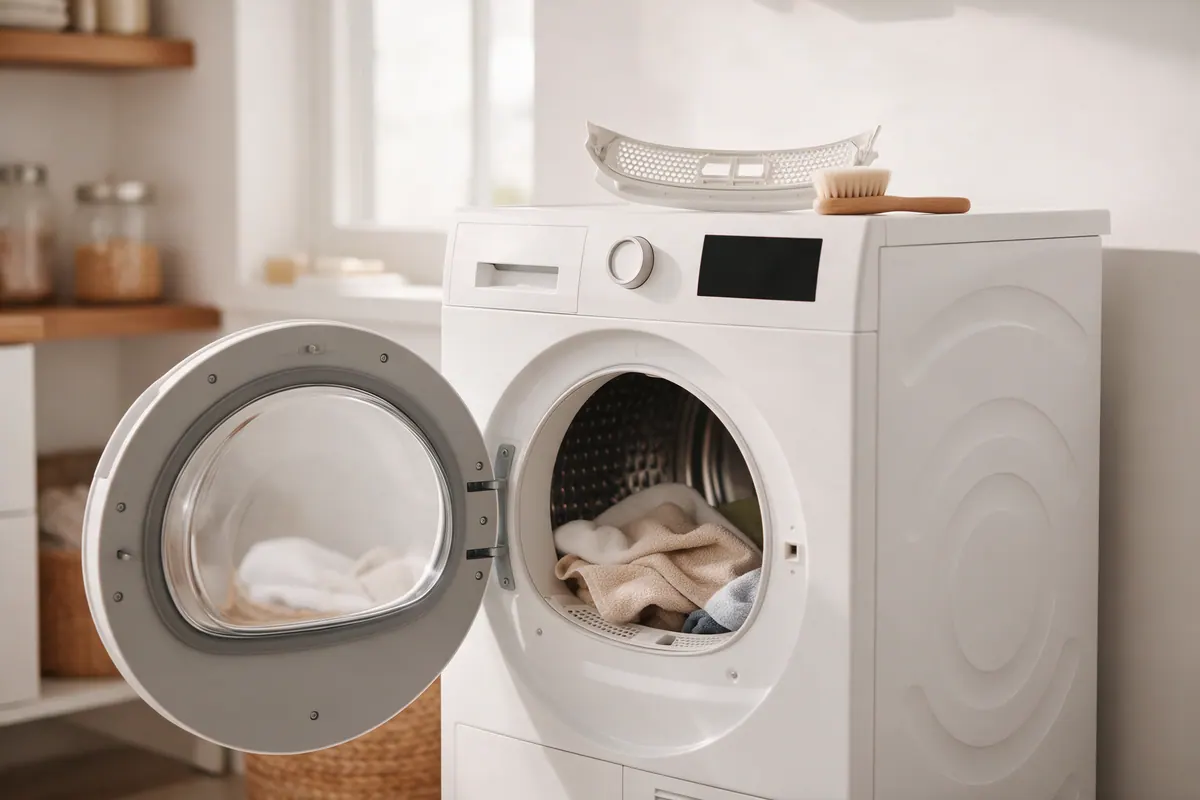
LG dryer error codes tell you which system the dryer thinks has a problem, and the most common ones, d80, d90 and d95, mean the exhaust vent is restricted, not that the dryer is broken. According to LG, nP means no current is reaching the heater (usually a home wiring or breaker issue), PS means improper voltage at the power cord, tE1 to tE6 are thermistor faults that a reset often clears, and gAS (which can look like 9A5) means a gas dryer isn’t getting gas. Most of these start with a reset, a clean lint filter and a check of the vent or power supply.
Codes and their meanings vary by model and dryer type, so treat this as a guide and confirm in your owner’s manual. Some codes only appear on certain dryers: E1 and E4 on steam models, E13 on hybrid condensing models, dRN/OE and LE2/AE/CE1 on heat-pump or condensing models, and gAS on gas models.
How to reset an LG dryer error code
LG gives one reset for many codes, including PF and the tE codes:
- Unplug the dryer, or turn off the circuit breaker that supplies it.
- While it has no power, press and hold Start/Pause for 5 seconds.
- Restore power and run a cycle.
If the same code comes back right away, the reset didn’t fix the cause. Use the table below to find what to check next.
LG dryer error code list
| Code | What LG says it means | What to check |
|---|---|---|
| d75, d80, d90, d95 | Exhaust airflow restricted (about 75, 80, 90 or 95 percent) | Lint filter, hose behind the dryer, outside vent flap; professional duct cleaning |
| Flow Sense bars (2 or 4) | Exhaust system severely restricted | Same as d80 to d95 |
| nP | No current detected at the heater | Grounded 240 V outlet, reset the breaker; licensed electrician |
| PS | Improper voltage at the power cord, possibly white and red wires reversed at the terminal block | Breaker reset, grounded 240 V outlet; installer or electrician for the cord |
| tE1 to tE6 | Thermistor problem | LG reset; service if it returns |
| tE2 | Thermistor problem, normally in cold conditions or steam cycles | Lint filter and outside vent; service if it returns |
| gAS (looks like 9A5) | Gas dryer not receiving gas | Gas valve fully open, supply line not kinked |
| dE, dE4 | Door not completely closed | Lint filter pushed in, nothing caught in the door; reset |
| FO or flashing Insert Filter | Lint filter not inserted properly | Remove and reinsert the filter |
| HS | Humidity sensor error; dryer runs 2.5 hours | Clean the sensor bars below the lint filter |
| PF | Power failure, usually after an outage | LG reset |
| CL | Child Lock (Control Lock) is on | Hold the Child Lock button 3 to 5 seconds |
| E1, E4 | Steam generator issue (steam models only) | Unplug for a minute, restart; service if it returns |
| Add Water | Steam feeder is empty or not closed | Fill with tap water to MAX, not distilled water |
| E05 (E5) | Water supply problem for steam | Tap open and not frozen, inlet hose and filter |
| E13 | Drain hose kinked or clogged, or sump water frozen (hybrid condensing only) | Straighten the hose, use the standard LG hose |
| dRN, OE | Water container full or drain hose kinked (condensing models) | Empty the container, check the hose |
| IF | Lint filter not detected | Filter assembled correctly, magnet in place |
| LE1 | Drum not turning, drum motor issue | Remove some of a heavy load; service |
| LE2, AE, CE1 | Compressor problem (heat-pump models) | Unplug one minute, restart; service |
| LE3 | Air-circulation fan motor problem | Unplug one minute, restart; service |
What d80, d90 and d95 mean on an LG dryer
LG says these codes mean airflow is restricted somewhere between the dryer and the exhaust exit outside. LG’s other code page ties the number to how restricted the duct is: d75, d80, d90 and d95 correspond to about 75, 80, 90 and 95 percent. Two or four bars on the Flow Sense indicator mean the exhaust is severely restricted. LG also notes that on gas dryers, a d80 code may point to a lack of gas.
LG lists these checks, in this order:
- Inside the dryer: remove lint from the filter between every load, wash the filter with warm water and a soft brush, and let it dry before putting it back.
- Behind the dryer: make sure the exhaust hose between the dryer and the wall isn’t crushed, dented, kinked or coiled like a spring, and that it has no holes or loose connections.
- Outside the home: find the vent outlet and make sure its flaps open all the way. LG says lint can jam them, and if you run the Air Dry cycle you should see them fully open. Clear any lint around the opening.
- Inside the walls: if the code stays, LG suggests having a dryer duct cleaner clean the vent run, and asking them for the length of the vent and the number of 90-degree bends so you know whether the system needs changes.
Our step-by-step dryer vent cleaning guide covers the hose and outside hood in more detail. LG also notes that lint buildup in the exhaust duct causes long drying times, so it’s worth checking even before a code appears.
What nP and PS mean on an LG dryer
Both codes point at the power supply.
- nP means no current is being detected at the heater. LG says this normally indicates a problem with the home’s electrical wiring.
- PS means improper voltage with the power cord, which LG says could be caused by the white and red wires being reversed on the dryer’s terminal block.
LG’s steps for both:
- Make sure the power cord is securely plugged into a grounded outlet that matches the dryer’s rating plate of 240 volts.
- At the main panel, turn off the dryer’s circuit breaker for at least 10 seconds, then turn it back on.
- If the code stays, have a licensed electrician check the outlet to make sure the right voltage reaches the dryer. If the dryer was just installed, LG says to call the installer to check the cord installation and outlet.
- If the dryer still doesn’t heat after that, it needs repair service.
Leave the terminal block and cord wiring to the installer or an electrician. Don’t rewire it yourself.
What tE1, tE2 and the other tE codes mean
A tE code (tE1 through tE6) means the dryer detected a problem with its thermistor, the sensor that reads temperature. LG’s fix is the reset above. If the code comes back after a reset, LG says the dryer may need repair service.
tE2 gets its own note. LG says it normally happens in cold conditions, and it can appear during SteamFresh, Steam Sanitary or the Steam option because the extra humidity makes the duct cool down too quickly. LG’s newer page suggests cleaning the lint filter and making sure the outside vent flaps aren’t blocked.
What gAS (9A5) means on an LG gas dryer
LG says a reading that looks like 9A5 isn’t an error code. It’s the display spelling out GAS, and it means the dryer isn’t getting a proper gas supply.
- Find the gas valve behind the dryer and make sure it is fully open.
- Check that the gas supply line is connected and isn’t kinked or bent.
- If the dryer is newly installed and opening the valve doesn’t help, or the line looks damaged, contact the installer. If the dryer isn’t new and the valve is open, LG says to contact LG for service.
Don’t try to repair a gas line or valve yourself, and if you smell gas at any point, leave the home and call your gas utility from outside.
What HS and dE mean
HS means the dryer detected an error with its humidity sensor. LG says this makes the dryer run for 2.5 hours, which can look like it isn’t drying. Clean the sensor bars inside the drum below the lint filter (LG’s video suggests a damp rag or paper towel), let them dry fully, and try another cycle.
dE or dE4 means the door isn’t completely closed. Make sure the lint filter is pushed all the way in and nothing is caught in the door. If the dryer is brand new and the door or frame looks bent, contact the dealer. Otherwise, unplug it or trip the breaker, wait 5 seconds, restore power, close the door firmly and start a cycle. If dE returns, LG says the dryer needs service.
When an LG dryer code needs a professional
Call for help when:
- d80, d90 or d95 keeps coming back after you’ve cleaned the filter, hose and outside flap. That usually means the duct inside the wall needs a vent cleaner.
- nP or PS stays after a breaker reset. Start with a licensed electrician for the outlet, then repair service.
- Any tE, LE, AE, CE1, E1 or E4 code returns after LG’s reset.
- You smell gas or the gas line looks damaged.
If the code isn’t on this list or your dryer won’t heat with no code at all, see our error code hub and the repair or replace guide before you book a visit.
How to prevent LG dryer error codes
- Clean the lint filter before every load, and wash it with warm water now and then.
- Wipe the humidity sensor bars below the filter opening occasionally.
- Keep the hose behind the dryer short and free of kinks, and push the dryer back gently so you don’t crush it.
- Check that the outside vent flap opens freely, especially before winter.
- Have the vent run cleaned on a regular schedule. Our maintenance calendar lists when.
Have an LG washer too? Our LG washer error codes guide covers OE, IE, UE, dE and the rest.
Step-by-step summary
- Write down the exact code. Note the code exactly as the display shows it, such as d90, nP or tE1, and look it up in the table. On LG gas dryers, a reading that looks like 9A5 is the word gAS.
- Try LG's reset. Unplug the dryer or turn off its circuit breaker, press and hold Start/Pause for 5 seconds while it has no power, then restore power and run a cycle.
- Clean the lint filter and sensor bars. Remove lint from the filter, wash the filter with warm water and a soft brush and let it dry, and wipe the humidity sensor bars below the filter opening.
- Check the exhaust path for d80, d90 and d95. Make sure the hose behind the dryer isn't crushed, kinked or disconnected, and confirm the outside vent flaps open fully while the dryer runs on Air Dry.
- Check power or gas for nP, PS and gAS. Confirm the cord is plugged into a grounded 240-volt outlet and switch the dryer's breaker off for at least 10 seconds. On a gas dryer, make sure the gas valve is open and the line isn't kinked.
- Call for service if the code returns. If the code comes back after these checks, have a vent cleaner, licensed electrician or LG service look at it, depending on the code.
Frequently asked questions
What does d90 mean on an LG dryer?
LG says d80, d90 and d95 mean the exhaust airflow is restricted somewhere between the dryer and the outside vent, at about 80, 90 or 95 percent blockage respectively. Clean the lint filter, check the hose behind the dryer and the outside flap, and have the duct professionally cleaned if the code stays.
How do I reset an LG dryer error code?
LG's reset is to unplug the dryer or trip its circuit breaker, press and hold the Start/Pause button for 5 seconds while it has no power, then restore power and run a cycle. If the code comes back, the problem behind it is still there.
Why does my LG dryer show nP and not heat?
LG says nP means no current is being detected at the heater, which normally points to the home's electrical supply. Check that the dryer is plugged into a grounded 240-volt outlet, turn its breaker off for at least 10 seconds, and have a licensed electrician check the outlet if the code stays.
What does 9A5 mean on an LG gas dryer?
LG says 9A5 is not an error code; it is the display spelling out GAS, meaning the dryer isn't getting a proper gas supply. Make sure the gas valve is fully open and the supply line isn't kinked, and contact the installer or LG if that doesn't fix it.
Why does my LG dryer run for 2 and a half hours?
LG says an HS code means the dryer detected a humidity sensor error, and that error makes the dryer run for 2.5 hours. Clean the sensor bars inside the dryer below the lint filter, let them dry fully, and call for service if HS keeps returning.
What does tE2 mean on an LG dryer?
tE2 is a thermistor error that LG says normally shows up in cold conditions, including during steam cycles when the duct cools down too quickly. Clean the lint filter, check that the outside vent is clear, and call for service if it happens again after a reset.