Troubleshooting & Error Codes Washers
LG Washer Error Codes: What OE, IE, UE, dE, LE and FF Mean and How to Fix Them
LG washer error codes explained from LG's own support pages: OE, IE, UE, dE, LE, FF, tCL and more, for front-load and top-load models, with what to check first.
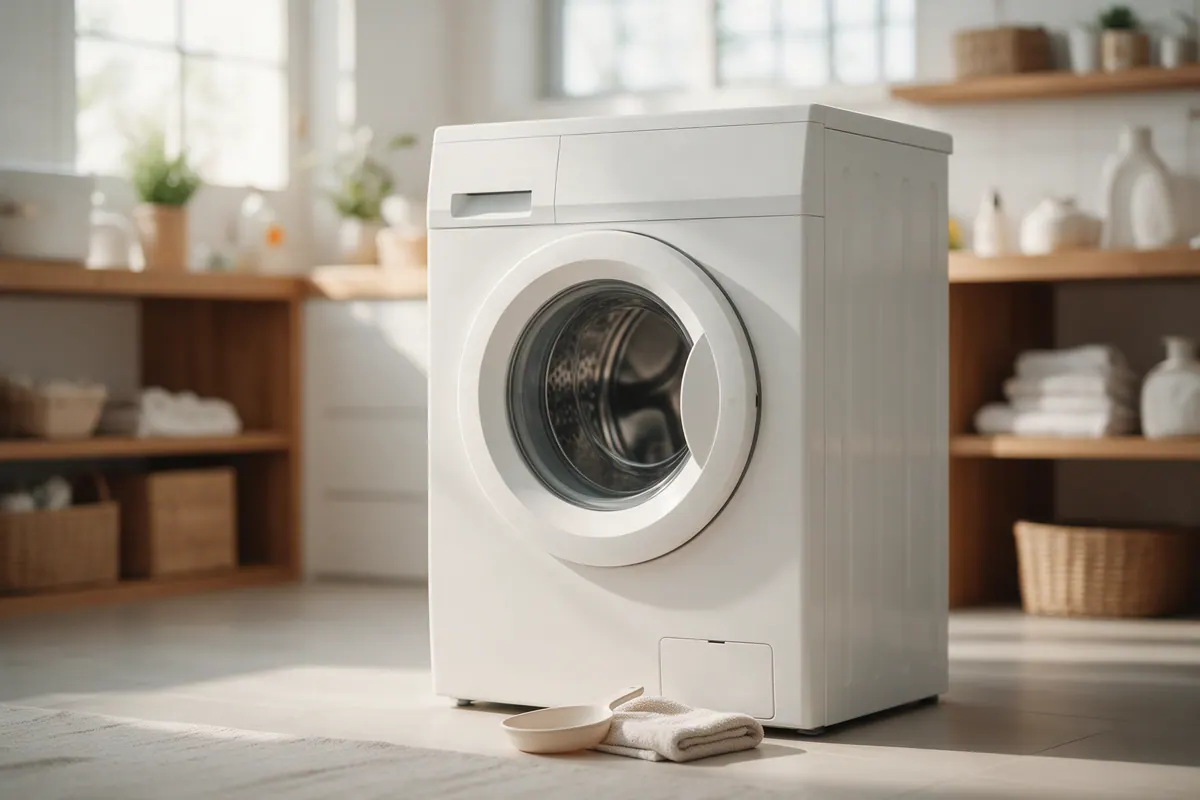
LG washer error codes are short messages that tell you why a cycle stopped, and most of the common ones point to something you can fix yourself. OE means the washer can’t drain, IE means it isn’t getting enough water, UE means the load is unbalanced, dE means the door (or lid) didn’t lock, LE means the motor is overloaded, and FF means the washer is frozen. This guide explains each LG washer error code using LG USA’s own support pages, with separate notes for front-load and top-load models.
How to clear an LG washer error code
For many codes, LG’s reset is the same:
- Turn the washer off and unplug it, or switch off the circuit breaker that supplies it.
- With the power off, press and hold START/PAUSE for 5 seconds.
- Restore power and start a cycle.
A reset only clears the message. If the cause is still there (a clogged drain filter, a closed water tap), the code will come back, so do the checks for your code first.
LG front-load washer error codes
| Code | What LG says it means | What to check |
|---|---|---|
| OE | Water can’t drain | Straighten a kinked drain hose, clear clogs, thaw a frozen hose, and clean the drain pump filter. |
| IE | Water supply is inadequate | Open the taps fully, straighten the inlet hoses, clean the inlet filters, and check your water pressure. |
| UE | Load is unbalanced | Add one or two similar items to a small load, or rearrange the load, then press START/PAUSE. |
| dE | Washer couldn’t lock the door | Close the door completely, make sure the drum isn’t packed tight, and reset the washer. |
| dE1 (may show as del or dEL) | Door isn’t closed properly | Check for laundry caught between the door and the rubber gasket, reopen and close the door, and reset. |
| dE2 | Door is closed but not locking | Check for too much laundry or items stuck in the gasket; a bent or broken latch needs service. |
| LE | Motor is overloaded and locked | Let the washer rest 30 minutes to cool, then restart the cycle. |
| FF | Washer is frozen | Thaw the hoses and drain pump with warm water (details below). |
| PF | Power failure during a cycle | Restart the cycle. If PF keeps returning, do the power reset above, then request service. |
| SUD | Too many suds | The washer adds a suds-reducing cycle (about 2 extra hours). Use less detergent, never more than the label says. |
| FE | Washer is overfilling, usually a faulty water valve | Close both taps, drain with a no-spin cycle, and request service if it returns. |
| CE | Over-current in the motor circuit | Unplug for 10 seconds and try again; if it persists, close the taps, unplug, and request service. |
| PE | Water level sensor problem | Unplug for 10 seconds and restart; if it persists, request service. |
| tE | Heating error, usually a faulty thermistor | Unplug for 10 seconds, drain with no spin, and restart; if it persists, request service. |
| Ed or OP | ezDispense (automatic dispenser) issue | See LG’s ezDispense troubleshooting for your model. |
| tCL | Reminder to run Tub Clean | Not a fault. Run the Tub Clean cycle with washer cleaner. |
| CL | Child lock is on | Not a fault. Press and hold the child lock button (or button pair) for 3 seconds. |
| Cd | Cool down after drying (combo models) | Normal. The load tumbles without heat until you unload it or press START/PAUSE. |
LG top-load washer error codes
LG’s top-load list overlaps with the front-load one, but several codes mean something different, so read this table if you have a top loader.
| Code | What LG says it means | What to check |
|---|---|---|
| OE | Draining slowly or not at all | Make sure the drain hose is installed correctly and isn’t pinched, clogged, or frozen. |
| IE | No water, or water pressure too low | Turn on and unkink the water lines, check for leaks, and clean the inlet filters. LG says pressure must be 14.5 to 116 psi. |
| dE | Lid isn’t closed properly | Close the lid fully and press START/PAUSE. The washer won’t spin until the lid locks. |
| uE (lowercase) | Washer is rebalancing the load itself | No action needed. It adds water and tries up to three times. |
| UE (uppercase) or Ub | Washer couldn’t rebalance the load | Redistribute the clothes, add a few items to a small load, and check that the washer is level. |
| dL | Door latch switch isn’t working properly | Remove anything caught in the lid, unplug for 10 seconds, and restart; if it persists, request service. |
| dR | Not an error: the washer timed out and is draining | Normal after 8 minutes paused mid-cycle, or 4 minutes powered on without starting. |
| E6 | Clutch error, sometimes from an object stuck between the pulsator and tub | Empty the tub and remove any coin, zipper, or clip from the seam with pliers; if it persists, request service. |
| CE | Drum didn’t reach 20 RPM within 3 minutes or 6 attempts | Needs a technician. Unplug the washer until it’s repaired. |
| D3 | A coupling part is malfunctioning | Needs a technician. |
| FE | Fill error: water level too high, possibly a faulty inlet valve | Turn off the water, run a drain or spin cycle, and unplug until it’s repaired. |
| PE | Water level sensor problem | Needs a technician. |
| tE | Thermistor error | Needs a technician. |
| sUD | Too many suds | Use less detergent. |
| tCL | Reminder to run Tub Clean | Run Tub Clean with washer cleaner. |
OE error: LG washer not draining
OE is the code most LG owners see. LG lists three washer-side causes and one plumbing cause:
- A clogged drain pump filter (front-load models). LG front-load washers and combos have a drain pump filter that catches lint, buttons, and coins. Top-load LG washers don’t have one. Open the access panel at the lower front (usually on the left, on some models the right), pull the small residual-water hose into a shallow pan and remove its plug, then turn the filter counterclockwise to remove it. Clean it by hand with a soft brush and warm water, reinstall it clockwise until it stops, and replace the hose plug and panel.
- A kinked, pinched, or frozen drain hose. Washer vibration can kink the hose behind the machine. LG also notes water won’t drain properly if the hose is installed too high, so check the maximum drain height in your manual.
- A clogged house drain. Take the drain hose out of the standpipe, hold it over a bucket or tub, and run a spin-only cycle. If water pumps out normally, the washer is fine and the standpipe or floor drain is the problem.
LG recommends cleaning the drain pump filter monthly, and sooner if draining slows or OE appears. Our dishwasher not draining guide covers the same kind of drain checks for the kitchen.
IE error: LG washer not filling
IE means not enough water is reaching the washer. Work through LG’s checks in order:
- Make sure both water taps are fully open.
- Straighten any kinked or crushed inlet hoses.
- Clean the inlet filters. Turn the water off, have a bucket ready, unscrew the hoses from the back of the washer, pull the small screen filters out of the inlet valves with needle-nose pliers, rinse them, push them back in, and reconnect the hoses.
- Check water pressure. If another faucet in the house also runs weak, LG suggests consulting a plumber.
UE, uE and Ub errors: unbalanced load
On LG top-load washers, the lowercase uE appears while the washer tries to fix the imbalance itself by adding water and redistributing the clothes. It tries up to three times. If that fails, it switches to uppercase UE and pauses until you rearrange the load.
LG names three common triggers: a load that’s too small, a single bulky item such as a comforter or blanket, and a mix of heavy and light items (jeans on one side, T-shirts on the other). Rearrange the load and restart. For bulky items, use the bulky or large-items cycle.
If UE keeps showing up with normal loads, test the washer the way LG does. Empty the drum completely and run a RINSE AND SPIN cycle, which takes about 20 minutes. If the code still appears with nothing inside, LG says the washer needs repair. If it doesn’t, the cause is leveling, load distribution, or the cycle you chose. Check that the washer is level front to back and side to side, adjust the feet, and tighten the lock nuts.
dE, dE1 and dE2 errors: door won’t lock
On front-load models, a dE code means the door couldn’t lock. dE1 means the door isn’t closed properly, often because a sleeve or sock is caught between the door and the rubber gasket. dE2 means the door is closed but didn’t lock, which LG links to an overloaded drum, items stuck in the gasket, or a bent or broken latch.
Clear the gasket, reopen and close the door firmly, and do the 5-second START/PAUSE reset. To prevent repeats, LG says the drum can be full but shouldn’t be packed tight, and you shouldn’t lean on the open door, because strain on the hinge can knock it out of alignment. If the code keeps returning after a clean close and a reset, the latch needs service.
On top-load models, dE simply means the lid isn’t closed properly.
FF error: LG washer frozen
FF matters more as the weather turns cold, especially for washers in garages, basements, or unheated laundry rooms. LG’s steps:
- Check the water inlet hoses, the drain hose, and (on front loaders) the drain pump filter area for ice.
- Pour warm water, 122 to 140°F (50 to 60°C), into the drum, close the door, and wait 1 to 2 hours for the drain pump to thaw.
- Wrap the water supply hose in a warm, wet towel to thaw it.
- Drain the remaining water, then run a short cycle to confirm it fills and drains.
If you’re also storing a fridge or freezer out in the cold this winter, see our chest freezer vs. upright freezer guide for notes on garage placement.
Codes that need a technician
LG tells owners to close the water taps, unplug the washer, and request repair for codes that persist after a reset, and to go straight to service for some top-load codes such as CE, D3, PE, and tE. A front-load FE (overfilling) also points to a water valve problem that isn’t a DIY fix. If a code keeps coming back after you’ve done the checks above, a qualified technician can test the part behind it. See our appliance repair cost guide for what to expect.
How to prevent LG washer error codes
- Use the right amount of detergent. Too much causes SUD codes and longer cycles.
- Clean the drain pump filter monthly on front-load models.
- Run Tub Clean monthly with washer cleaner to stop the tCL reminder and cut odor-causing residue. Our front-load washer smell guide covers the gasket and dispenser too.
- Don’t pack the drum tight, and keep sleeves clear of the gasket when you close the door.
- Keep the washer level so it can balance loads.
- Protect hoses from freezing if the washer sits in an unheated space.
For other brands, see our Whirlpool front-load washer error codes guide and the full error code library. Put the monthly washer tasks on your maintenance calendar.
Step-by-step summary
- Write down the exact code. Note the code exactly as shown, including upper or lower case (uE and UE mean different things on LG top loaders), and whether you have a front-load or top-load washer.
- Look up the code. Match it to the table in this guide and to your owner's manual, because LG's code lists differ between front-load, top-load, pedestal, and combo models.
- Do the safe checks for that code. Depending on the code, open the water taps and straighten the hoses, clean the inlet filters or drain pump filter, redistribute the load, or close the door firmly.
- Reset the washer. Unplug the washer or switch off its breaker, press and hold START/PAUSE for 5 seconds while it has no power, then restore power and run a cycle.
- Request service if it comes back. If the same code returns after the checks and a reset, or it is a code LG says needs a technician (such as CE or PE), close the water taps, unplug the washer, and have it serviced.
Tools and supplies mentioned
Affresh Washing Machine Cleaner Tablets, 6 count
by Affresh
Washer cleaner tablets for the monthly Tub Clean cycle that LG's tCL reminder asks for.
Fit check: Follow your LG owner's manual for where to place cleaner and which cycle to use.
Frequently asked questions
How do I reset an LG washer error code?
LG's reset for many codes is to unplug the washer or switch off its breaker, press and hold START/PAUSE for 5 seconds while the power is off, then plug it back in and run a cycle. If the code comes back, fix the underlying cause or request service.
What does OE mean on an LG washer?
OE means the washer can't drain. LG says to check that the drain hose isn't kinked, clogged, or frozen and, on front-load models, to clean the drain pump filter behind the small access panel at the lower front.
What does IE mean on an LG washer?
IE means the washer isn't getting enough water. Make sure both water taps are fully open, straighten any kinked inlet hoses, and clean the small filters where the hoses connect to the washer. LG's top-load guidance says water pressure must be between 14.5 and 116 psi.
What is the difference between uE and UE on an LG top load washer?
Lowercase uE means the washer is trying to rebalance the load on its own, which it will try up to three times. Uppercase UE means it couldn't, so the cycle pauses until you redistribute the clothes.
What does FF mean on an LG washer?
FF means the washer is frozen. LG says to pour warm water of 122 to 140 degrees F (50 to 60 C) into the drum, close the door, wait 1 to 2 hours for the drain pump to thaw, then drain the remaining water.
Why does my LG washer keep showing tCL?
tCL is a reminder to run the Tub Clean cycle, not a fault. LG says the message may keep appearing for a few cycles and that running Tub Clean monthly prevents it.
Sources
- LG USA Support: LG Washer - Error Code List
- LG USA Support: Front Load Washer - What are dE, dE1, and dE2 Error Codes?
- LG USA Support: What is a Top Load Washing Machine UE/Ub Error Code?
- LG USA Support: How to Fix an LG Front Load Washer That Is Not Draining (OE Error Code)
- LG USA Support: LG Washer - How to Clean the Drain Pump Filter